Software you can license

Finished tools,
built to be maintained.

Not demos — software people use every day, with a defined job, a support address, and someone who answers. Licensed per user, installed on your own server, managed from a customer account you control. And below the software: the prototypes we've built when a customer had a specific need and nothing on the market solved it.

PROD-01 · Project & document management · v0.9

OSGA Platform

Betastill being refined
Every project, every file, every person on it — in one place
Runs on your server Licensed per user

What it looks like

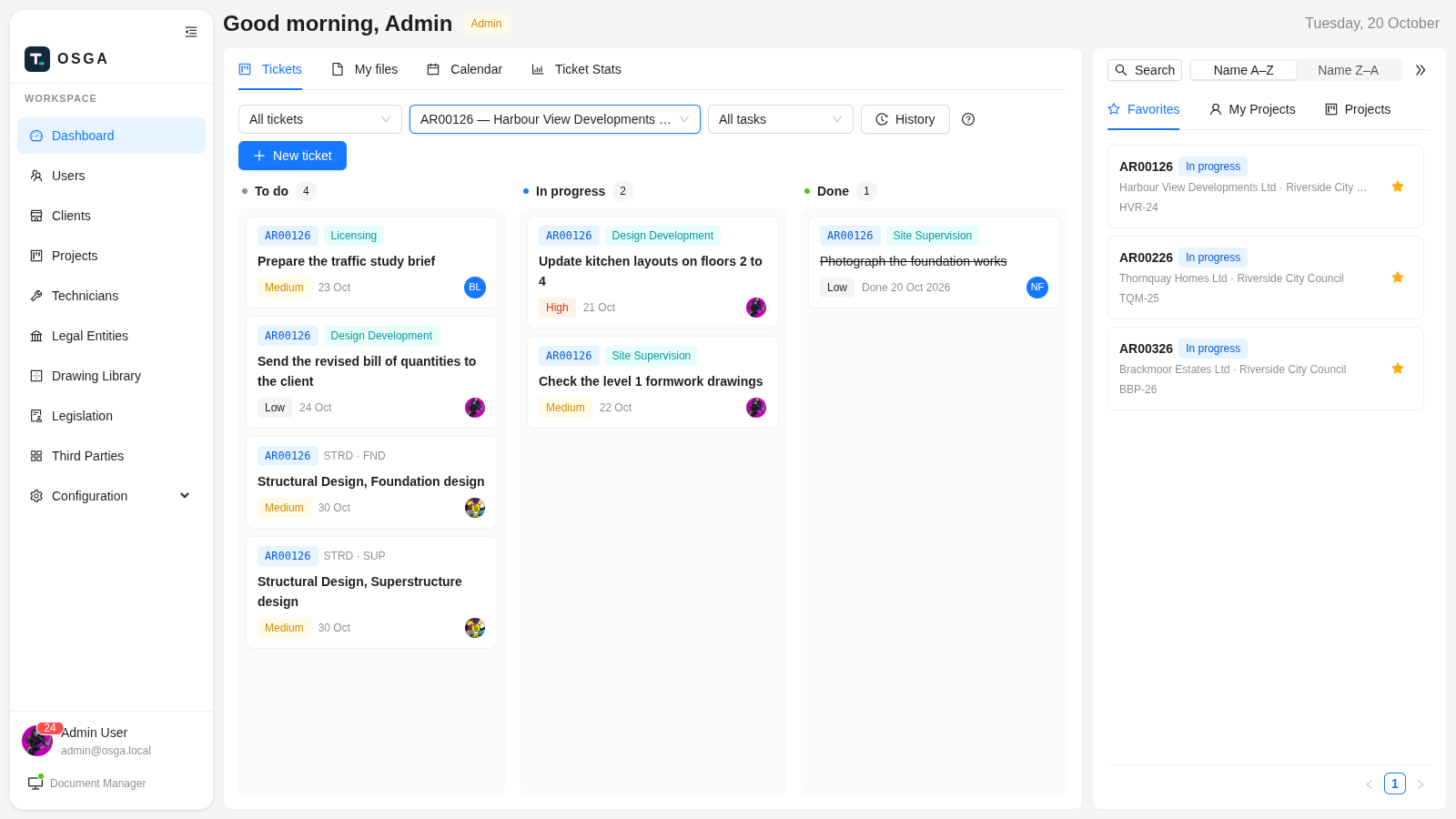
From a running installation with example data — see the OSGA page for the full tour.
osga.local — Dashboard · Tickets
OSGA dashboard Workboard with tickets in To do, In progress and Done, and the projects rail

Your day at a glance — the shared Workboard opens first: every ticket in To do, In progress or Done, with your favourite projects alongside.
osga.local — AR00126 · Meetings & Notes
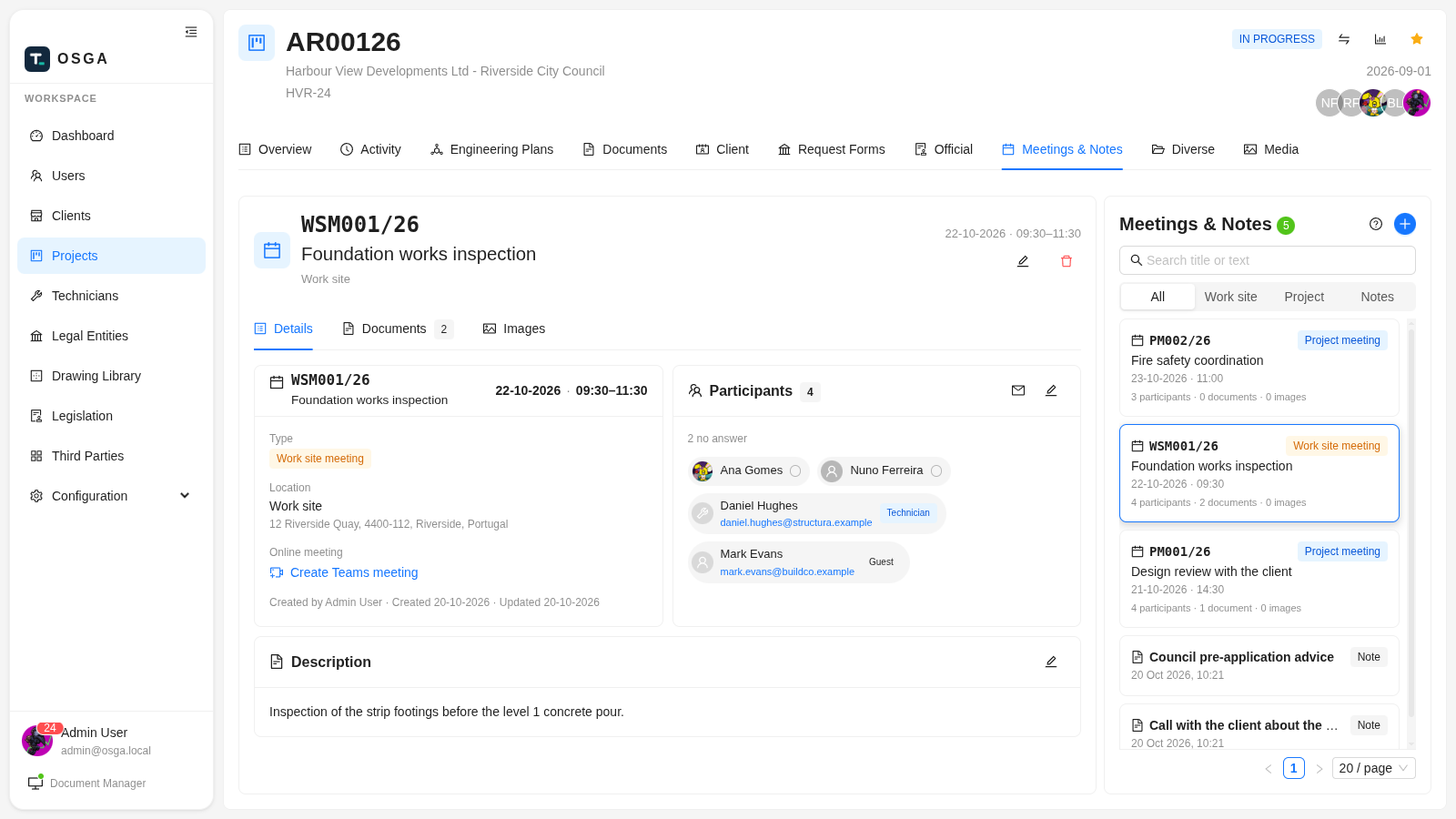
OSGA work-site meeting with its participants, invitation answers and documents

Meetings that run themselves — invitations by email with a calendar file, answers recorded as they come in, the agenda and minutes on the meeting.

OSGA is where an engineering or technical-services office keeps its projects and everything that belongs to them: the documents and drawings, the site photos, the client, the city council, the engineers on the job, the meetings and emails, the work still to do, and the record of what happened when. It replaces the shared drive, the spreadsheet of project numbers, the whiteboard of who-does-what and the “which version is this?” email thread.

What it does for you

  • Nobody overwrites anyone. Check a file out to work on it and it is locked to you until you check it back in. Every check-in is kept, so earlier versions are always one click away.
  • One project, one number. Each project gets a reference code generated from its type, and its files carry that code in their names — so a drawing on your desktop still says where it came from.
  • Access by assignment. People see the projects they are on, and only those. Four roles — viewer, user, advanced, admin — decide who can look, edit, set up or administer.
  • Start from templates, not blank pages. Client documents, council request forms and engineering-plan files are copied in from your own templates when a project opens.
  • Meetings, email and the project diary live on the project too: meetings with emailed invitations and Microsoft Teams, Zoom or Google Meet links, emails filed against the project, site photos grouped by tag, and an activity log with who and when.
  • Everyone's work on one board. Tickets in To do, In progress and Done — on a project or not, made by hand or straight from an engineering plan's tasks — with a calendar of the week's meetings and deadlines.
  • Shared libraries. A drawing library of standard details and a legislation library per council, checked out and versioned like project files.
  • Yours to run. Installs on your own Windows PC or Linux server in about 45 minutes, activates with your customer-portal login, backs itself up on a schedule you set, and moves closed projects to an archive.
Explore the full platform →

Three ways in

In the browser
The office view

Projects, clients, councils, engineers, meetings, tickets and every file, from any computer on your network. Lists update live when a colleague changes something.

Any modern browser · no install
On the engineer's PC
Document Manager

Checked-out files land in a folder on your computer and open in the right program. Check in from there; edited copies are snapshotted so a dead laptop is not a lost file. A paper-clip button readies any file for an email.

Windows · macOS · Linux
For the administrator
One settings area

Users and roles, allowed file types, templates and pick lists, email and online meetings, backups, storage, the project archive and the license — all from the same screens, with a guide beside each one.
No console, no config files
PROD-02 · Machine logging · for Picarro® analyzers

Gas Analyzer Logger

Watch your gas analyzer from any browser, and take the data home as Excel
Sits next to the instrument No cloud · your lab network

What it looks like

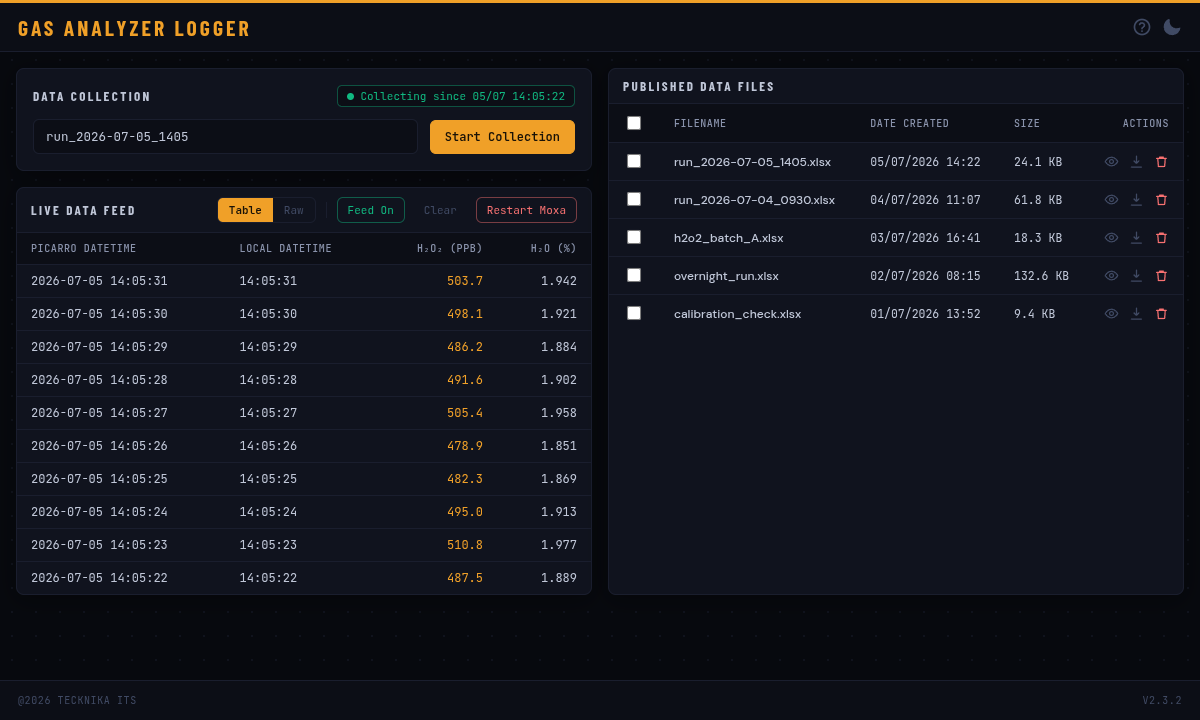
The page anyone in the lab can open — live readings on the left, the Excel files you've collected on the right.

logger.local — Gas Analyzer Logger
Gas Analyzer Logger live data feed and published files, dark theme

Live readings — H₂O₂ and H₂O as they come off the analyzer, plus start/stop of a collection session and the files it produced.

logger.local — Gas Analyzer Logger
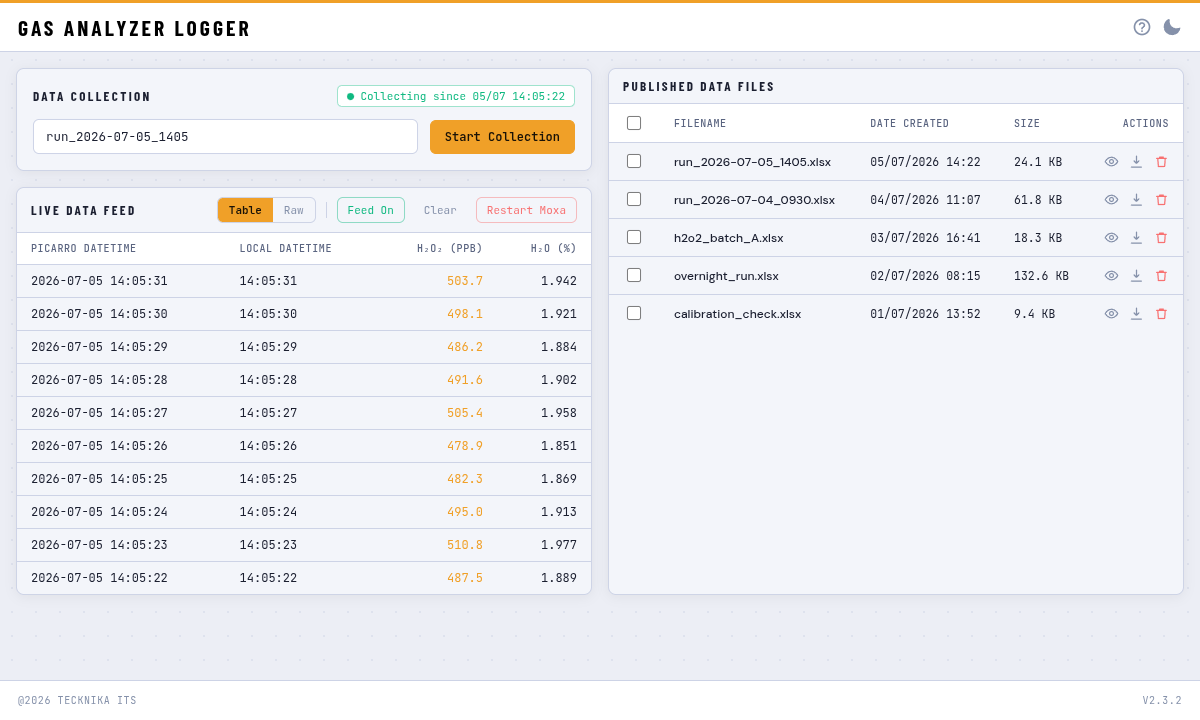
Gas Analyzer Logger in light theme

Light theme — the same view; the choice is remembered per browser.

Our one machine-logging product. A Picarro gas concentration analyzer produces a stream of readings that normally only the PC wired to it can see. The Gas Analyzer Logger is a small box that sits next to the instrument, listens to that stream, and shows it live to anyone on the lab network who opens a web page — then hands the collected session over as an Excel file.

What it does for you

  • See the readings from your desk. H₂O₂ and H₂O update live in the browser the moment the page opens — no software to install on your PC.
  • Press start, press stop, get a spreadsheet. Each collection session becomes a downloadable Excel file, with a preview of the first rows before you download.
  • Tidy up from the browser. List, preview, download and delete collected files without touching the box.
  • Recovers on its own. If the link to the instrument drops, the logger power-cycles the converter and carries on — unattended overnight runs survive.
  • Stays inside your lab. Nothing leaves your network; there is no cloud account and no subscription.
In the pipeline

More tools on the way.

The next products follow the same pattern as OSGA: a clear job, a per-user license you manage yourself, and an install on your own hardware. Ask to be told when they ship.

Self-hosted Per-seat licensing Portal activation
Tell me when →
Products · Prototypes

A specific need, solved with a working machine.

Not every product on this page is software we sell. Some start with a customer who has a specific job — a sample to take, a container to fill — and no off-the-shelf machine that does it. We write the use case together, then build the working prototype — electronics, firmware and touchscreen UI — so it can be tested, shown and taken to production.

All prototypes in detail → Bring us your use case

Have a project, or a case for us?

Tell us the problem and the constraints. We write the use case with you, quote the build, and ship something you can keep.

info@tecknika.net →